Twill Press Studio
A 3D apparel design studio that hands Shopify a print-ready order, with 300 DPI production files and millimetre placement on every line.
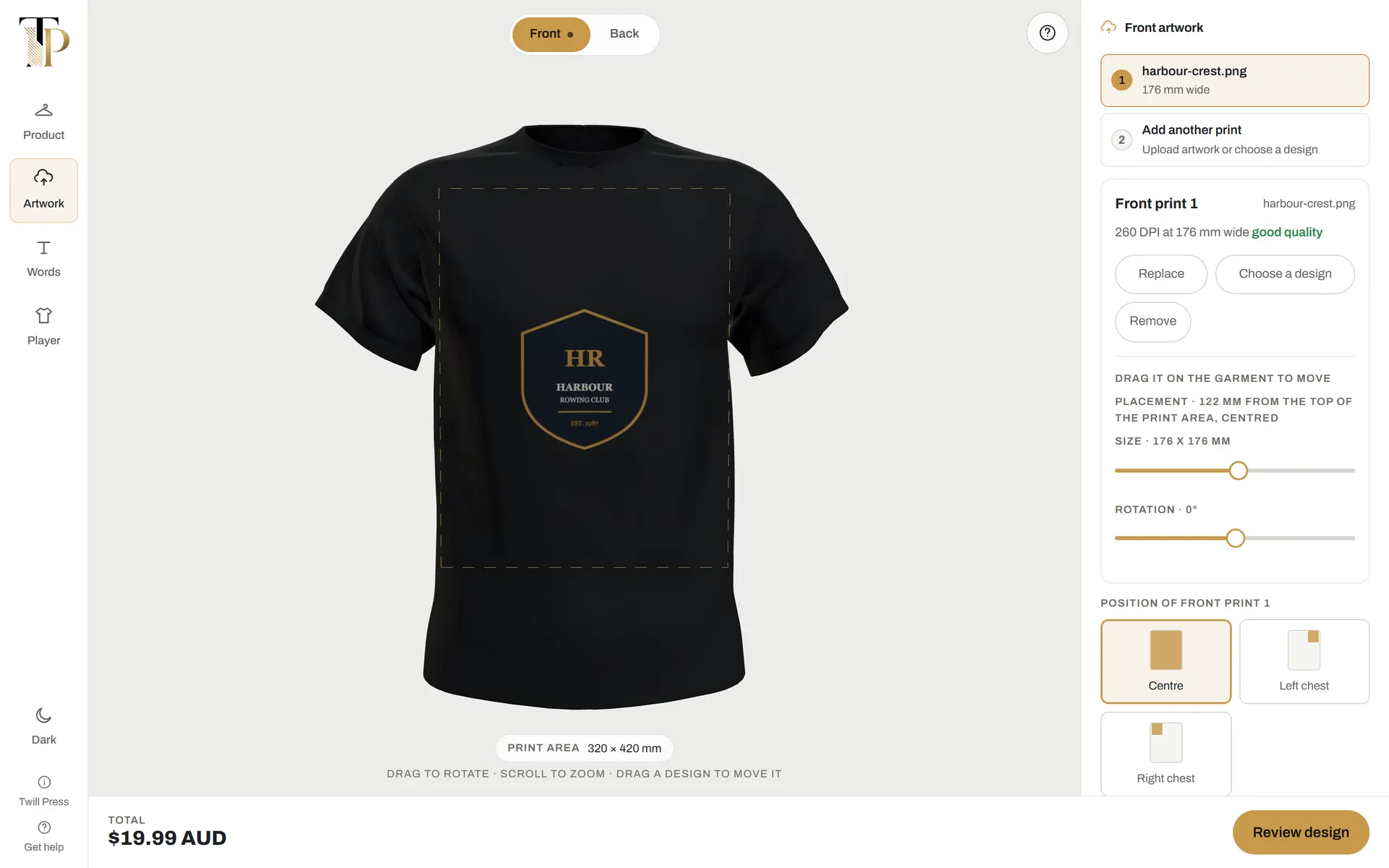
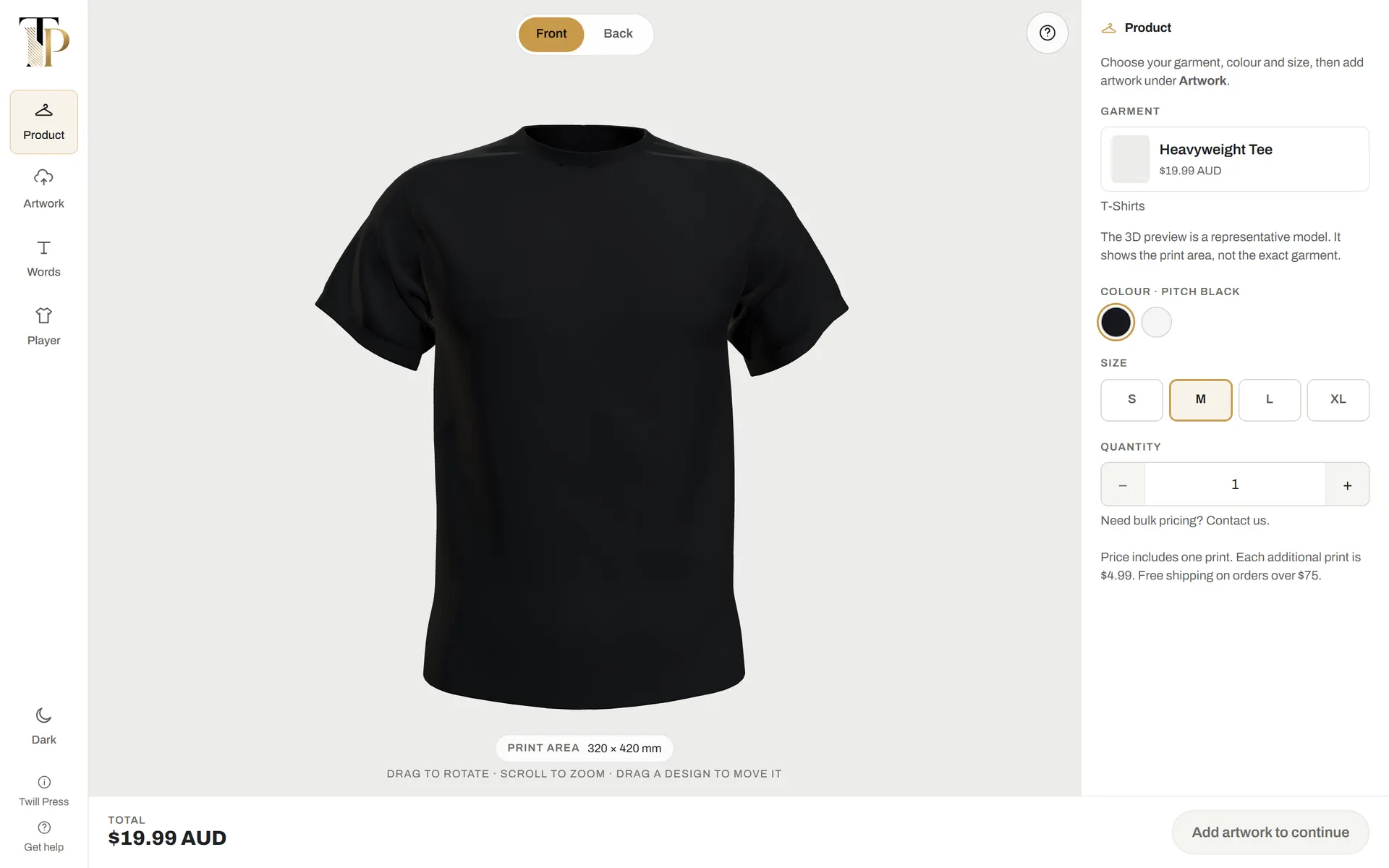
Twill Press Studio is a browser-based 3D product customiser for Twill Press, a Sydney apparel printer that sells through Shopify. A customer chooses a garment, colour and size, places artwork and text on the front and back of a rotatable 3D model inside the real print area, approves rendered previews, and continues to Shopify to pay.
Behind that experience, the Studio turns each approved design into the files and measurements a print shop needs and attaches them to the Shopify order: 300 DPI production files per side and per print, the customer's untouched originals, the approved previews and plain-language placement in millimetres.
Phase 1 is complete and tested. The Studio is held behind a preview gate ahead of launch, so no sales or conversion figures exist yet, and none are claimed here.
Two audiences, one order
A print shop that sells custom garments online has two audiences with different needs. The customer wants to see their logo on the actual garment, turn it round, check the back and be confident before paying. The press needs something much stricter: a print-ready file for every printed side, the untouched original, the approved preview and exact placement in millimetres, all arriving with the order rather than chased by email afterwards.
The constraints are physical. A zip, a button placket or a vest opening cannot be printed across, and reflective tape on a hi-vis vest cannot be printed over. Each garment has a different printable area, and artwork that looks fine on screen can print soft without enough resolution. Off-the-shelf customisers were assessed first: the 2D tools could not rotate the garment, and the one 3D plugin considered carried a monthly fee plus usage charges.
Shopify owns the catalogue; the Studio owns the design
Products, variants, prices, cart, checkout and orders all stay in Shopify, so the client changes a price or adds a colour without a code change. What the Studio sends back is a normal Shopify cart line carrying the design as line-item properties and file links.
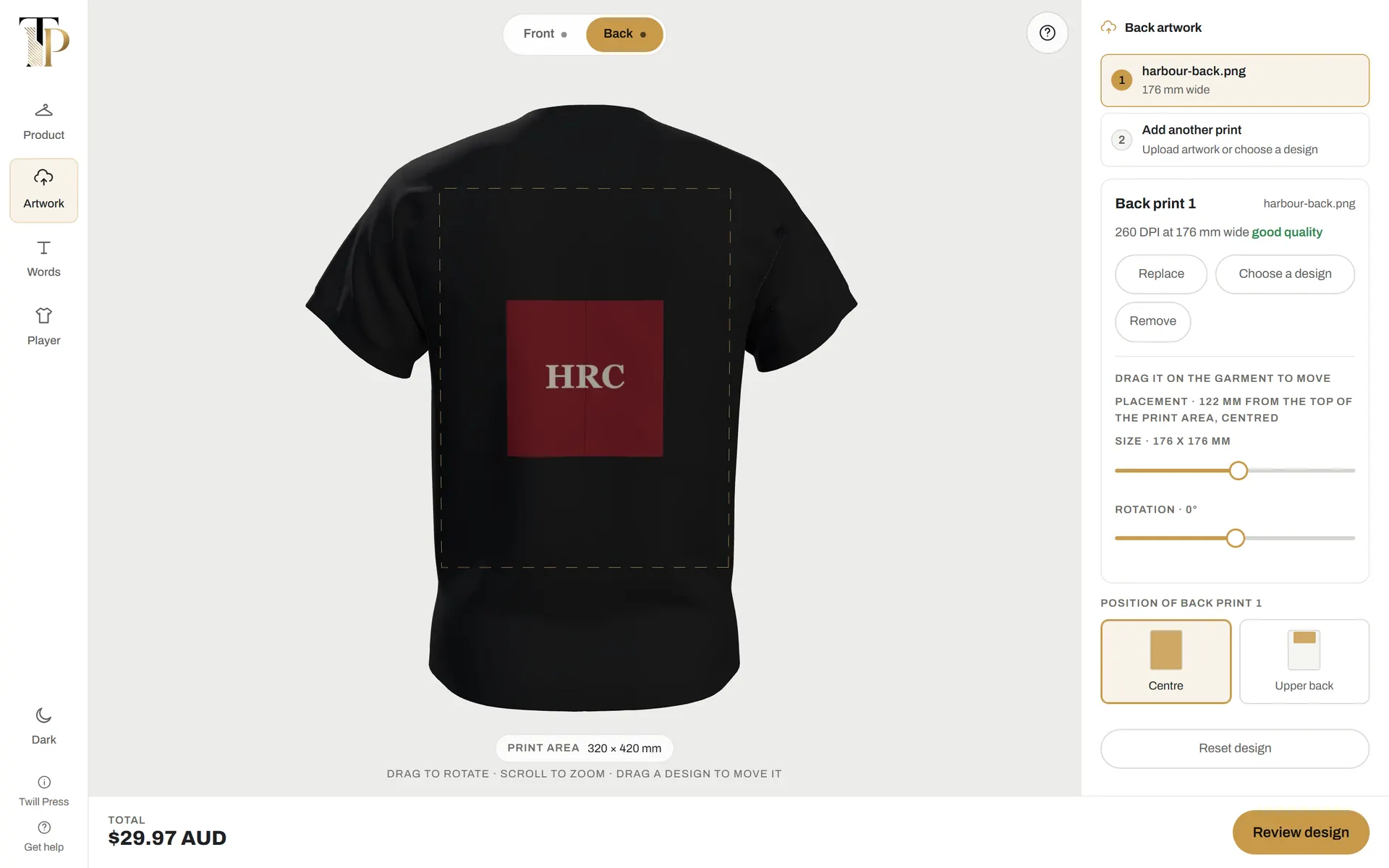
Print geometry is data, measured in millimetres. Every garment defines its front and back print areas in real units, and named positions such as left chest or upper back are fractions of that area. The same rectangle drives the on-screen guide, the drag limits, the DPI calculation, the placement numbers on the order and the production file, so what the customer sees cannot drift from what the press receives.
The integration was tested without a store: a mock of Shopify's Storefront and Admin APIs, including token exchange and file storage, lets the full checkout handoff run end to end in automated tests.
Design on the garment, approve, and hand off to Shopify
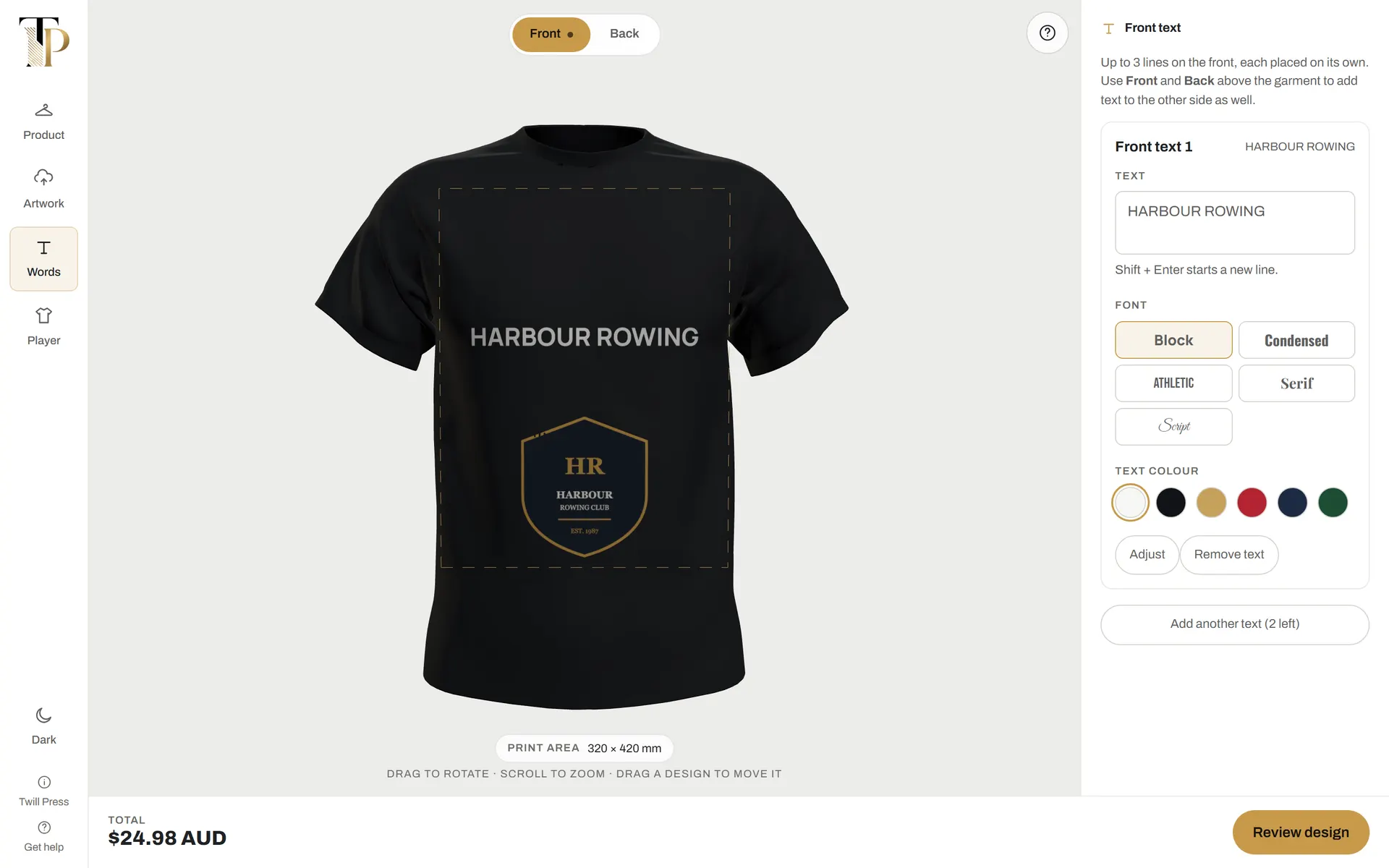
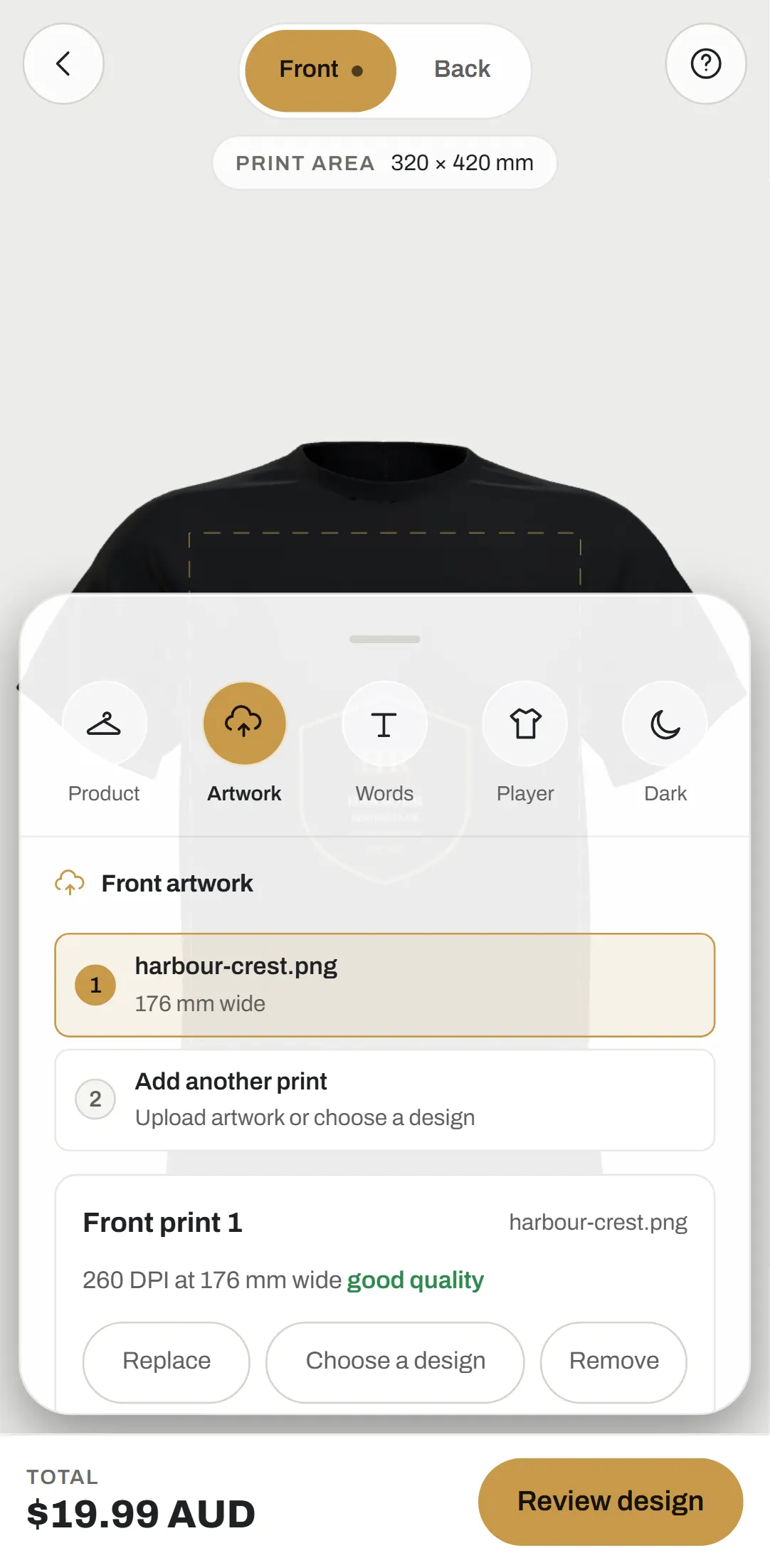
Customers choose from a five-garment launch range, each with its own 3D model, and recolour the whole garment in the colours Shopify lists for it. Two-tone workwear renders as two colours, and the hi-vis vest keeps its reflective tape whatever colour is chosen. Each side takes up to three image prints and three lines of text, placed by drag or by named position.
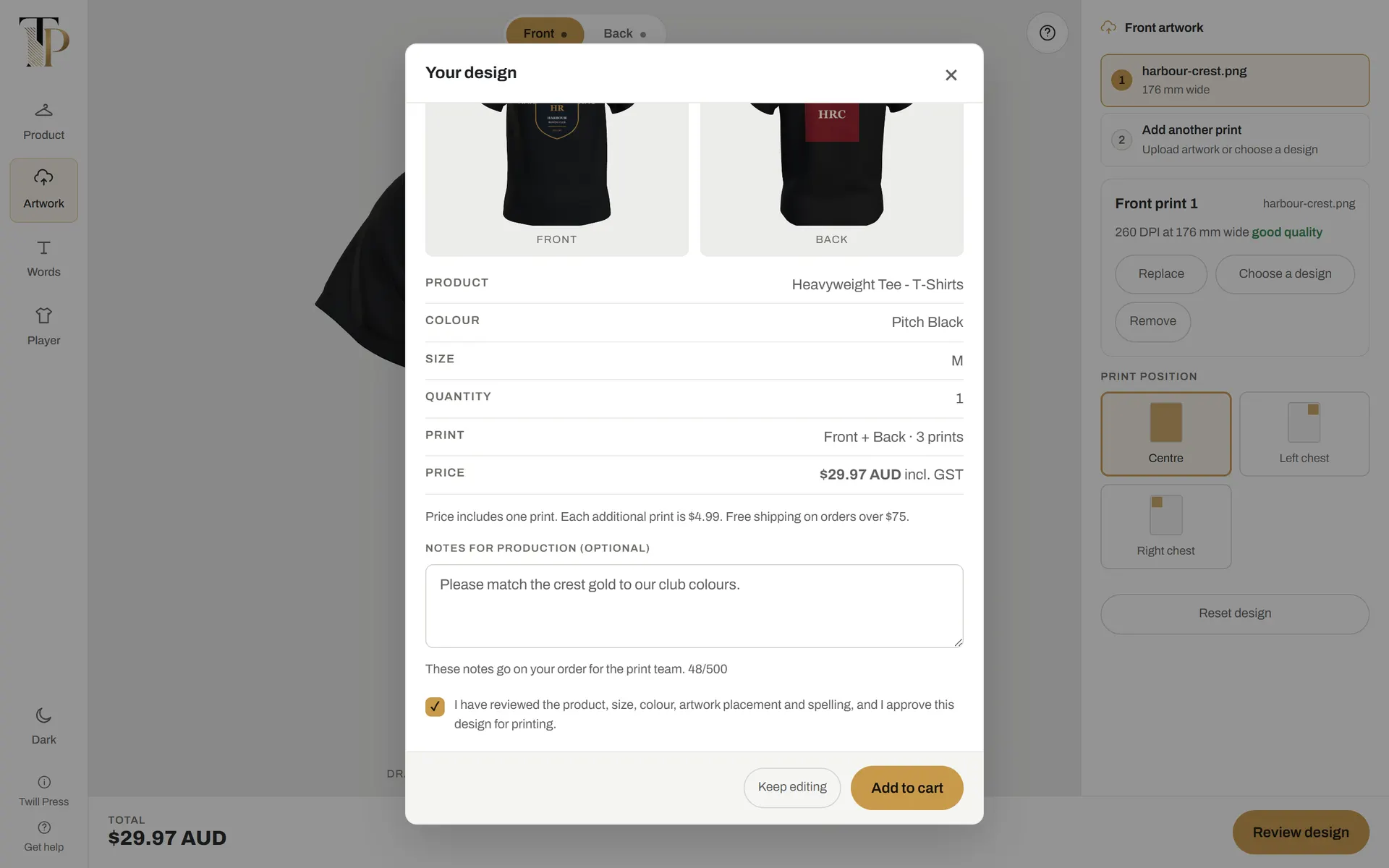
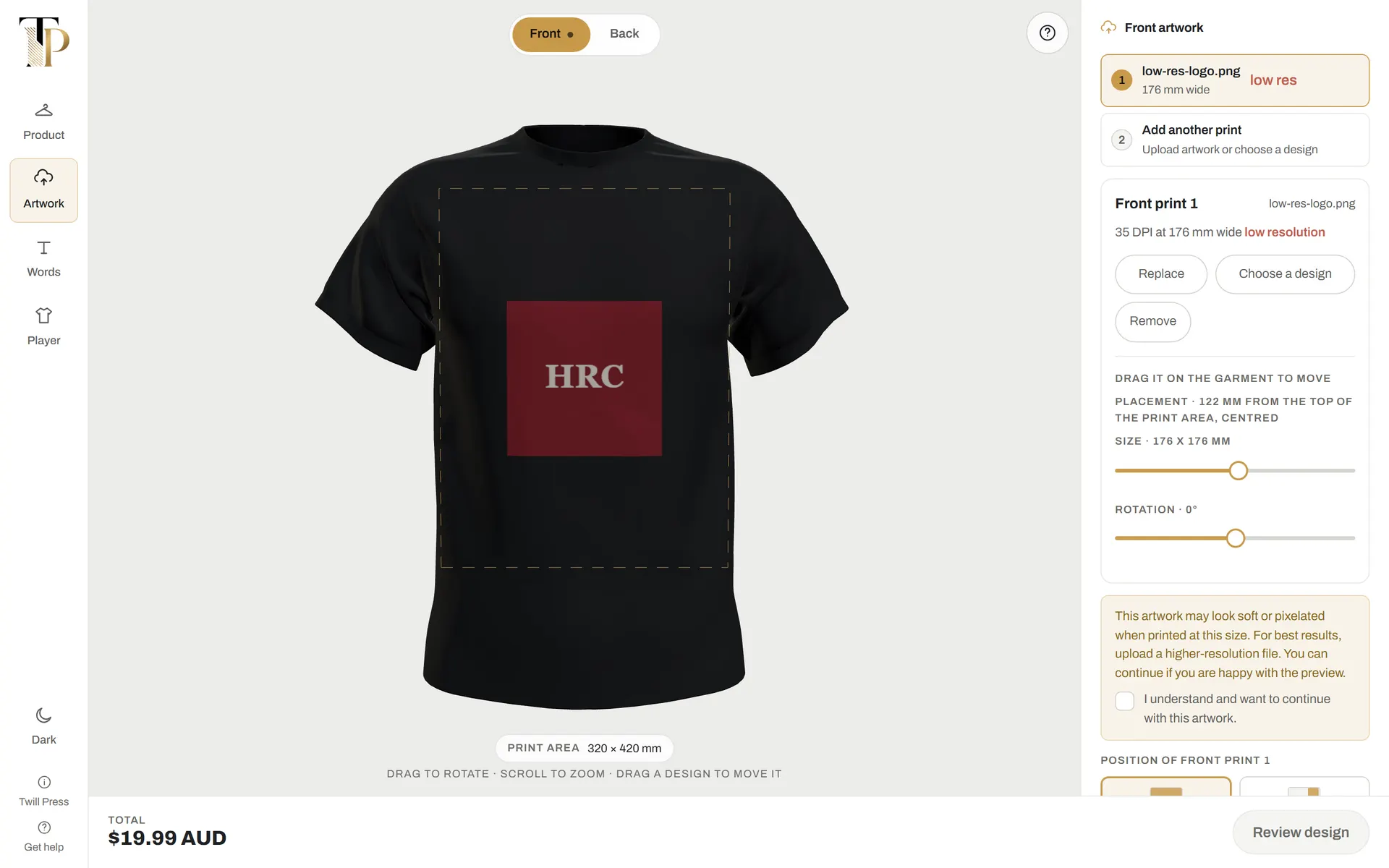
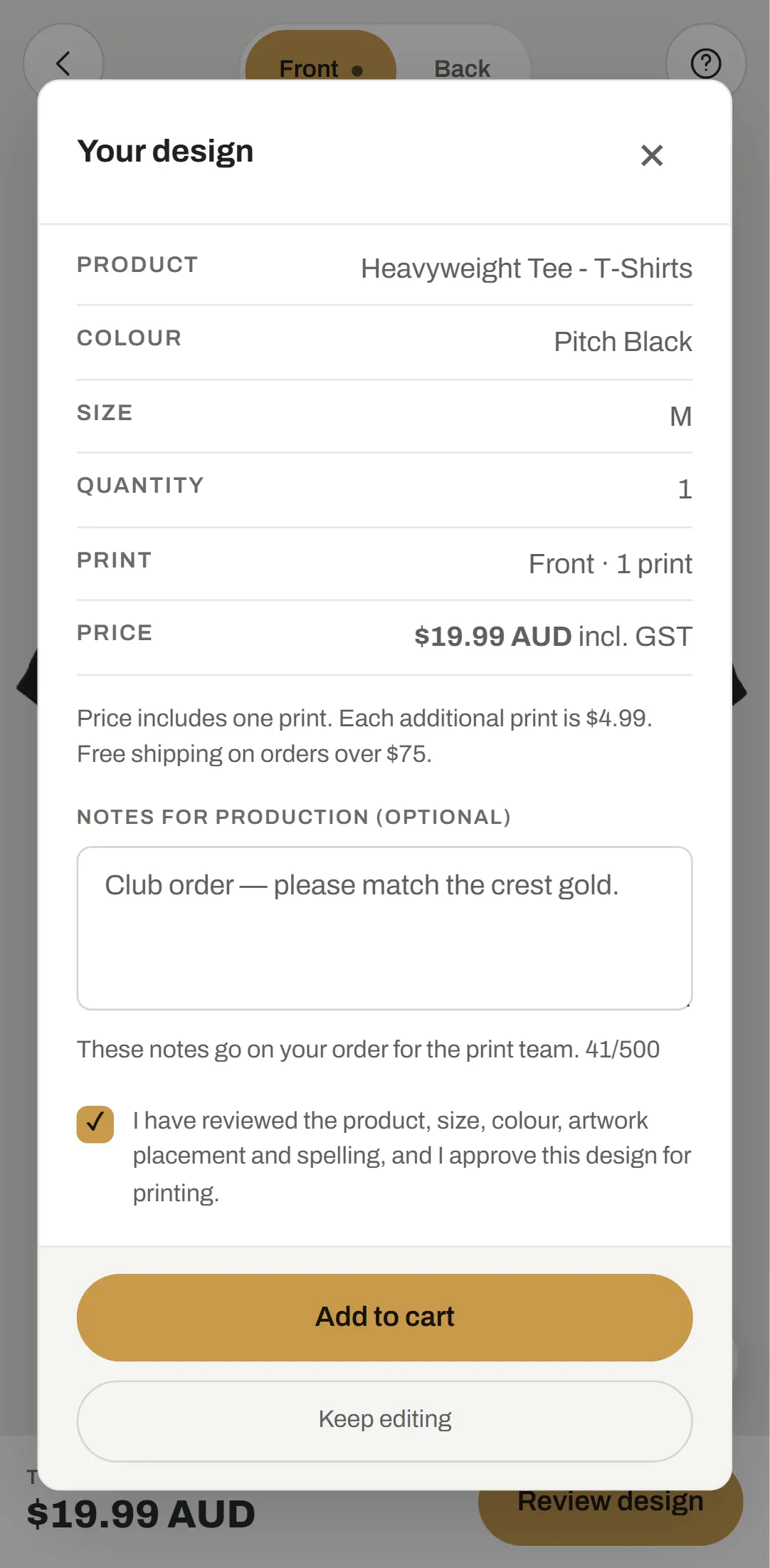
Artwork cannot leave the print safe zone, positions that cannot be produced are not offered, and every print reports its effective DPI. Below 150 DPI the Studio warns and holds the review step until the customer acknowledges it. The approval screen shows front and back previews rendered from the live scene, and any change after approval withdraws it.
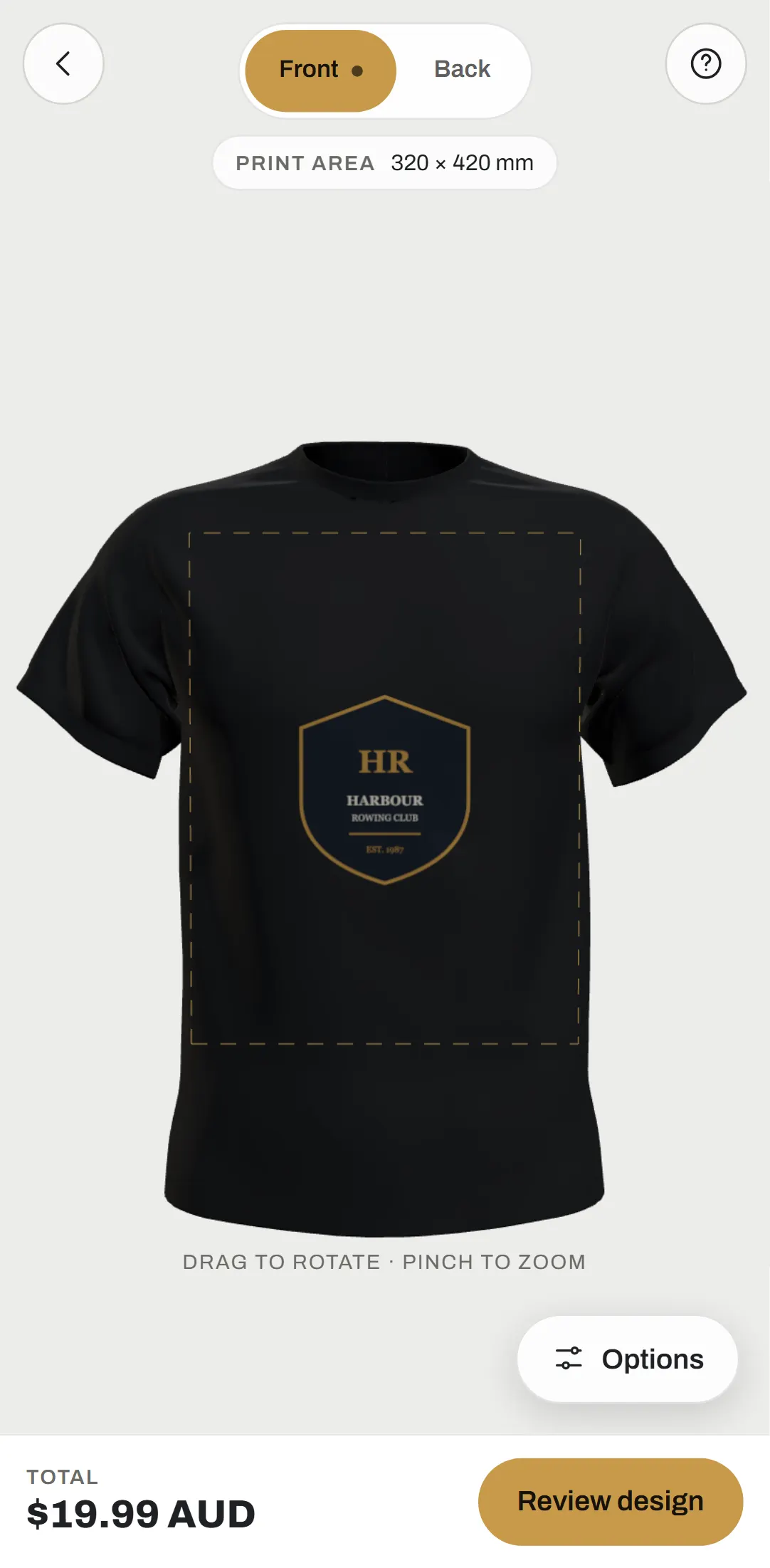
On Add to cart, the browser assembles the production bundle and uploads it straight to Shopify Files. The phone editor is a separate layout rather than a narrowed desktop: the garment fills the screen and the tools slide up in a floating panel.
Rotatable 3D garments
Five launch garments with their own models, live recolouring including two-tone workwear, and a hi-vis trim mask that keeps reflective tape uncoloured.
Millimetre print safe zones
Artwork cannot leave or outgrow the printable area, and zips, plackets and tape are excluded per garment shape.
Live DPI check
Every print reports its effective resolution at printed size, with a required acknowledgement below 150 DPI that is recorded on the order.
Approval bound to the exact design
Front and back previews, a full summary and production notes. Any edit after approval withdraws it until the customer approves again.
Print-ready files on the order
300 DPI files per side and per print, originals and previews uploaded to Shopify Files, with placement in millimetres on each line item.
A real phone editor
A separately designed layout where the garment keeps the screen and the tools live in a floating options panel.
- 01
Framework-independent 3D engine
A plain TypeScript Three.js class mounted by a small React component. Navigation uses the History API so the scene is never torn down between tools.
- 02
Decals against printable geometry only
The engine pre-cuts only the outer triangles inside the print area and rebuilds decals at most once per frame, with automated budgets on mesh size and rebuild time.
- 03
Uploads that skip the server
Artwork up to 25 MB goes browser-direct to Shopify's storage through signed staged uploads, so file size never hits a serverless body limit.
- 04
Expiring Admin tokens treated as normal
Client-credential tokens are exchanged at runtime, refreshed ahead of expiry, shared across concurrent requests and re-exchanged once on rejection.
- 05
Models normalised from their own geometry
Sourced garments arrive at arbitrary angles and scales; the engine finds each one's front-to-back axis by principal-component analysis and scales it to a fixed height.
- 06
Prices never live in code
Garment prices, additional prints, colours and sizes all come from Shopify, and tests assert pricing rules rather than fixed figures.
- Customers design a garment in 3D on a phone or desktop with the real limits of the press enforced as they work.
- Every order arrives in Shopify with 300 DPI files, untouched originals, approved previews and placement in millimetres.
- Twill Press keeps full control of products, colours, sizes and prices in Shopify.
- The Shopify handoff is verified end to end against a faithful mock of its APIs.