Digital Pathology Workstation
The complete frontend of an AI-assisted digital pathology platform, a desktop-grade imaging workstation in the browser.
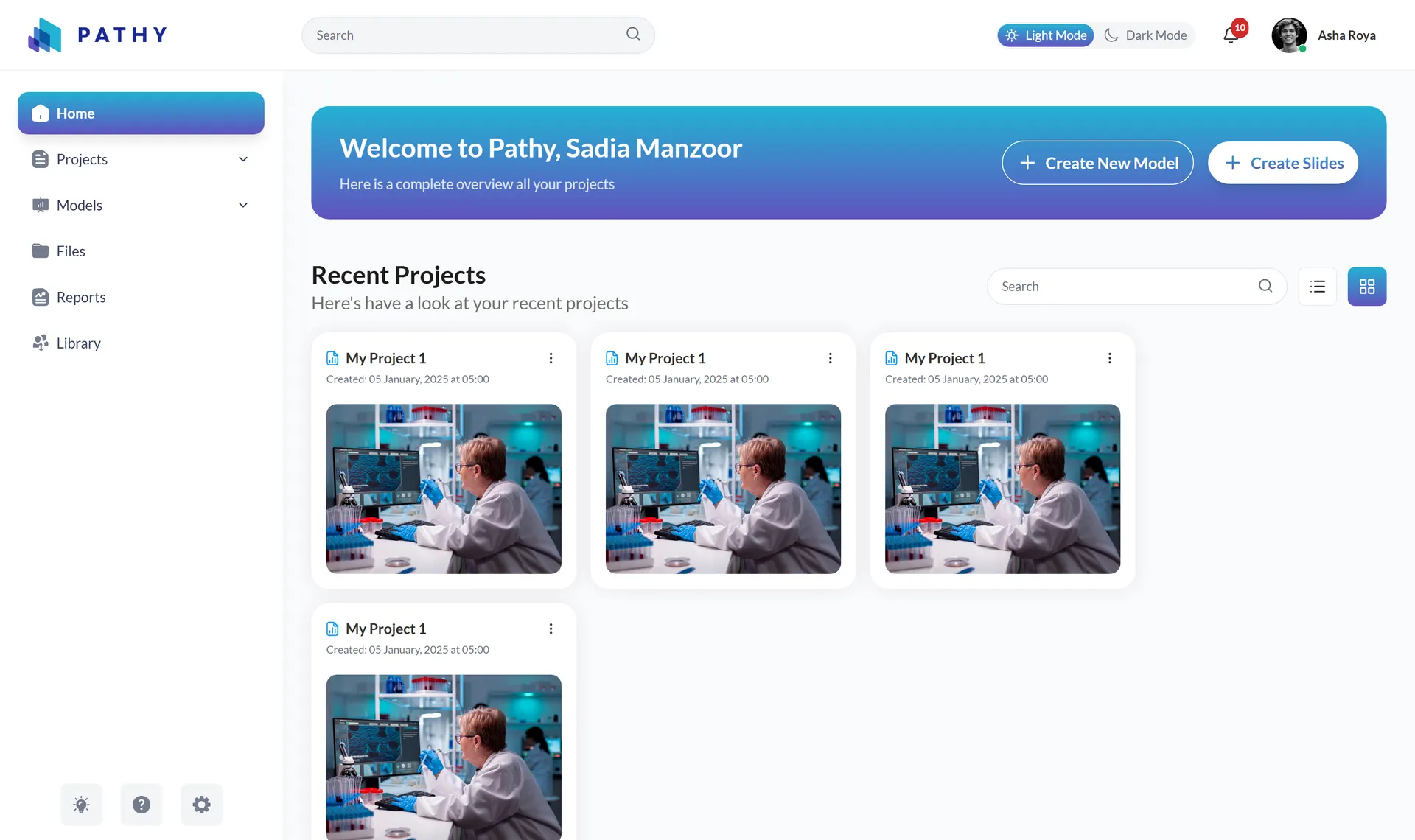
The product is a web platform for AI-assisted digital pathology, where pathologists and researchers organize whole-slide images, inspect them in a purpose-built viewer, and apply AI models for tissue segmentation, classification, and quantification. This engagement covered the complete web frontend, every screen, workflow, and interaction of the product, built as an Angular 20 application ahead of backend integration.
Digital pathology tooling carries desktop-software expectations: enormous slide images at multiple magnifications, several panels open at once, and precise spatial context at all times. The product had to feel like a professional imaging workstation in a browser while also carrying SaaS concerns, a model marketplace with quality signals, project organization, team sharing, billing, and patient-privacy controls.
Because the AI backend did not yet exist, we built the entire product surface as a working application rather than static screens: model runs, progress reporting, analysis overlays, and reports are all driven by typed, simulated data. The UI contract with the future backend already lives in the type system, so integration becomes a data-source swap rather than a rebuild.
Workstation expectations, browser constraints
Pathologists work with enormous slide images at multiple magnifications, keep several panels open simultaneously, viewer, analysis results, file trees, reports, and rely on precise spatial context. Typical web applications, with their page-at-a-time navigation and simple dialogs, do not fit that workflow.
The product also had to carry full SaaS scope: an AI model marketplace with quality and certification signals, project organization and sharing, billing, and patient-privacy controls. And the frontend needed to be built fully and faithfully before the AI backend existed, which meant every workflow had to be functional against realistic simulated data.
A windowed workspace, built simulation-first
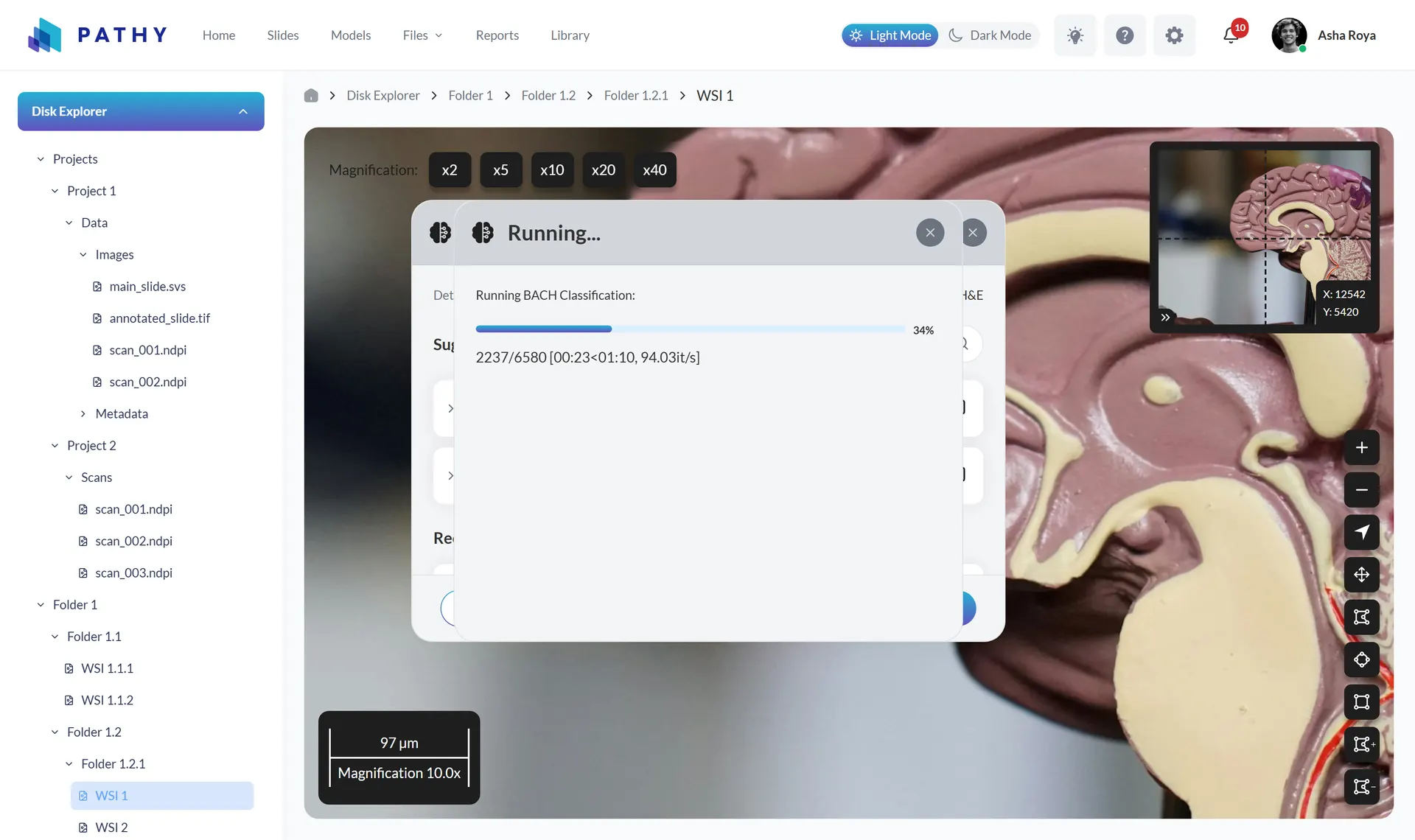
We built a windowed workspace rather than page navigation. The core Files workspace composes a file-explorer sidebar, the slide viewer, and multiple simultaneously open floating panels. A dedicated modal-window manager tracks parent/child relationships and z-order so child panels always stay above their parents, while custom directives make every panel draggable with viewport snap-back and resizable from eight handles, the interaction model of desktop imaging software, implemented in the DOM.
Workflows are simulation-first: AI model runs, progress reporting, analysis overlays, and report data are modeled with typed interfaces and driven by simulated processes, making the future API contract explicit in the type system. Architecturally, the app uses modern Angular throughout, standalone components loaded lazily per route, signal-based state, a shared UI kit, and a CSS custom-property token system powering a persisted light/dark theme.
From slide viewer to marketplace to billing
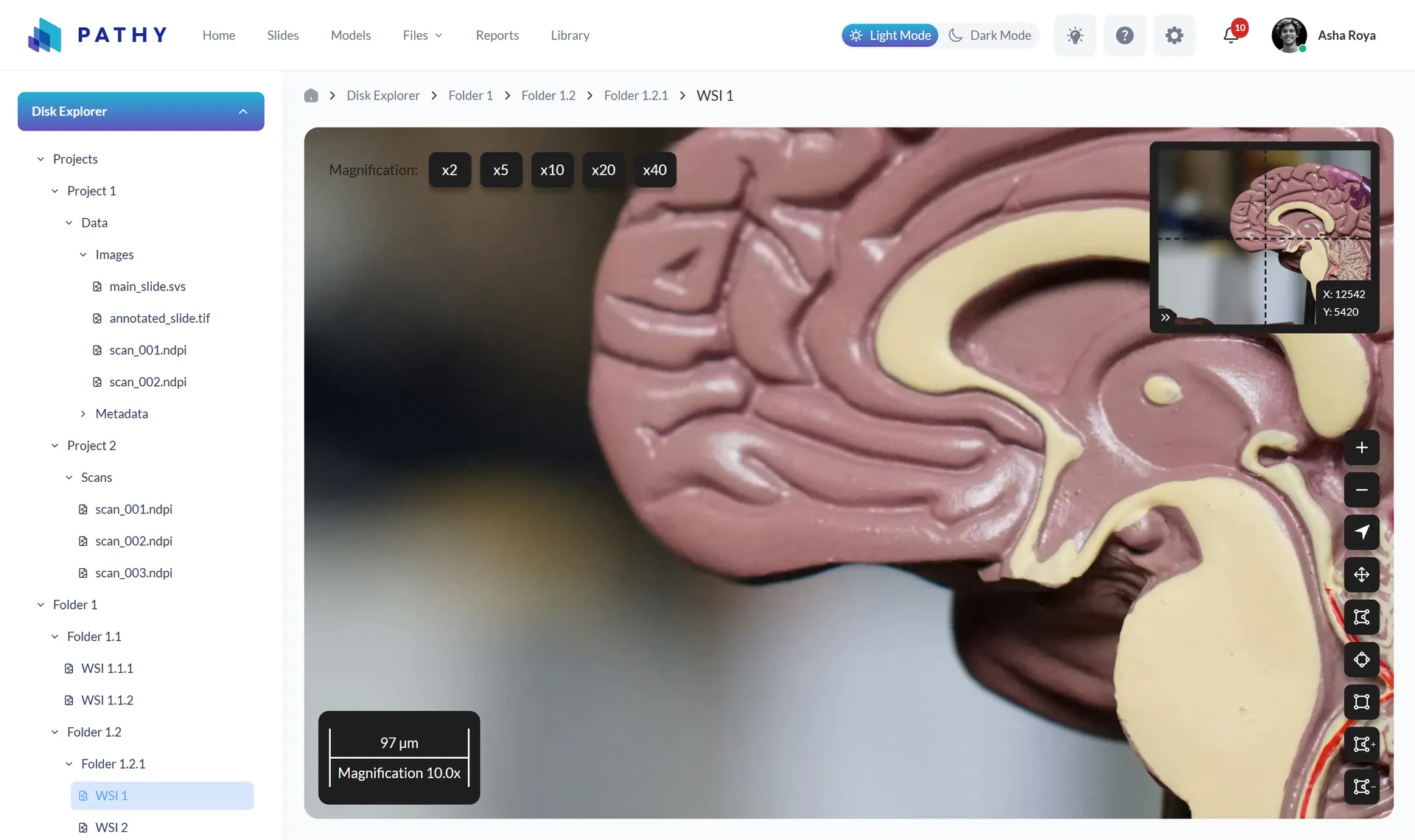
The WSI viewer provides magnification presets from 2x to 40x plus continuous wheel zoom, click-drag panning, fullscreen, and view reset. A minimap computes and displays the current viewport rectangle as the user zooms and pans, and a scale bar recalculates its physical length, switching between millimeters, micrometers, and nanometers, from the active magnification. An annotation palette covers pointer, pan, node, polygon, and rectangle tools for region markup.
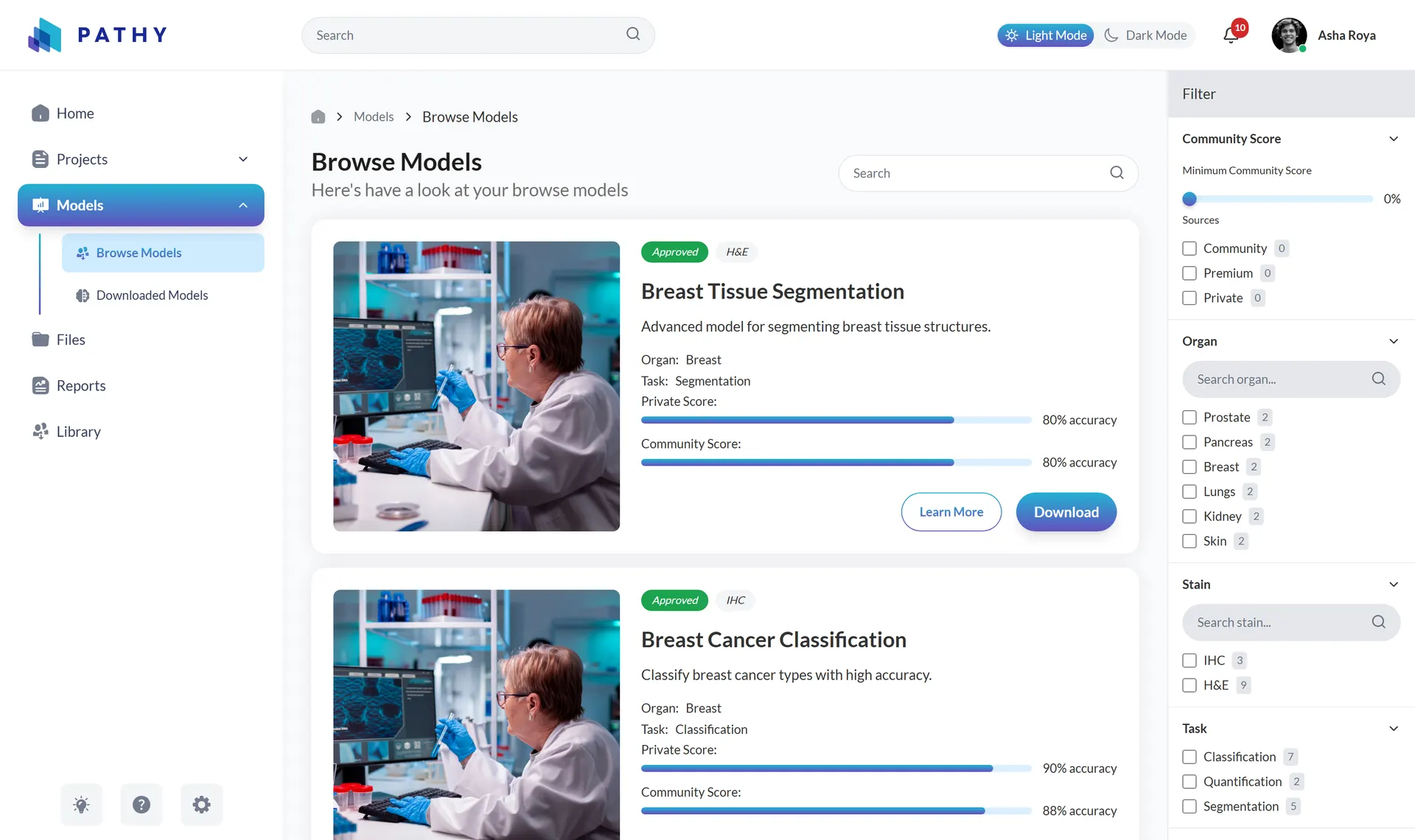
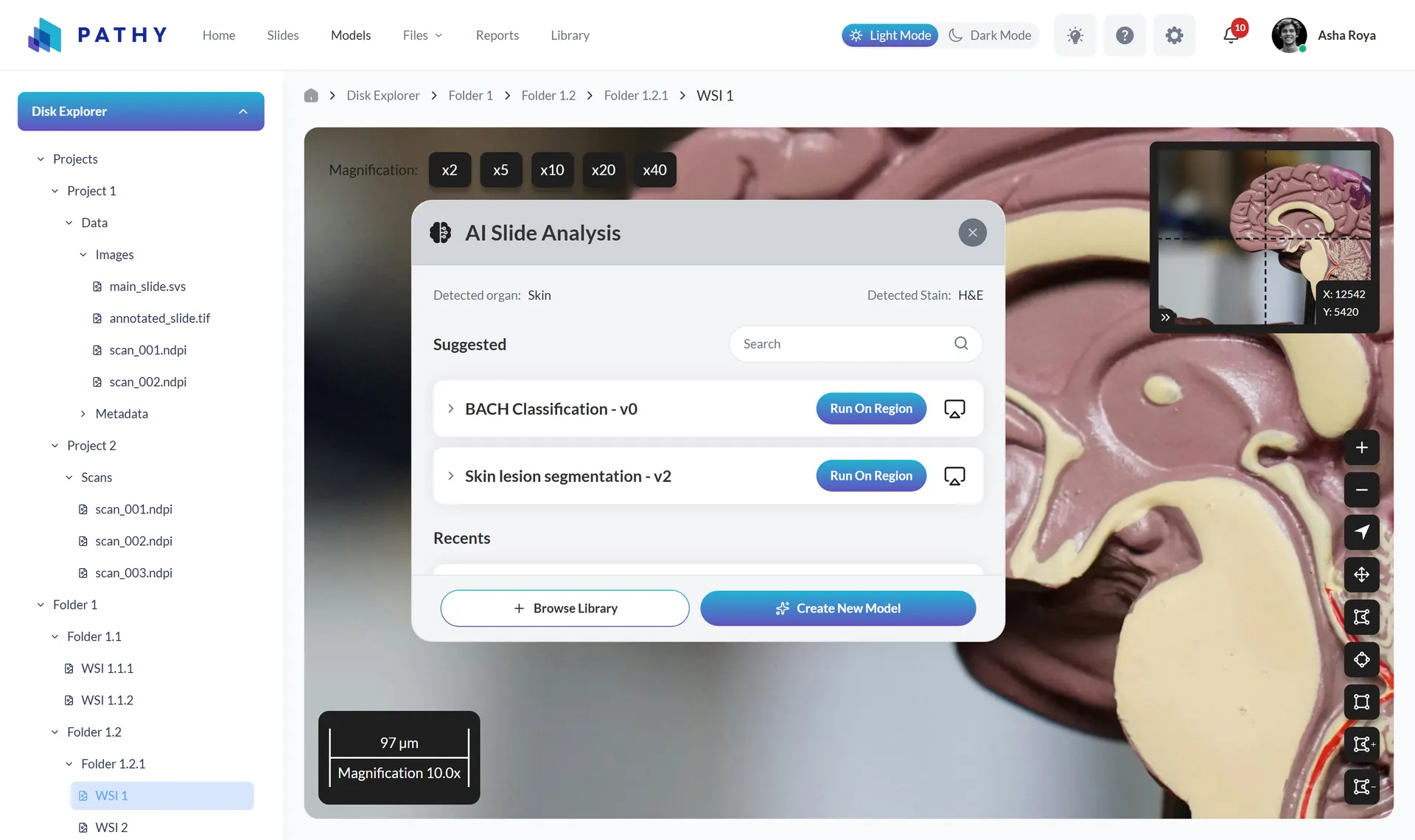
From an open slide, the AI analysis panel shows the detected organ and stain, suggests relevant models with download counts and quality scores, and runs a model on the whole slide or a selected region. Results are controlled to the class level: per-model opacity and visibility, a confidence-threshold slider, and per-class overlay toggles, each class with its own color and percentage. A filterable marketplace covers organ, stain, task type, certification, source tier, and minimum community score.
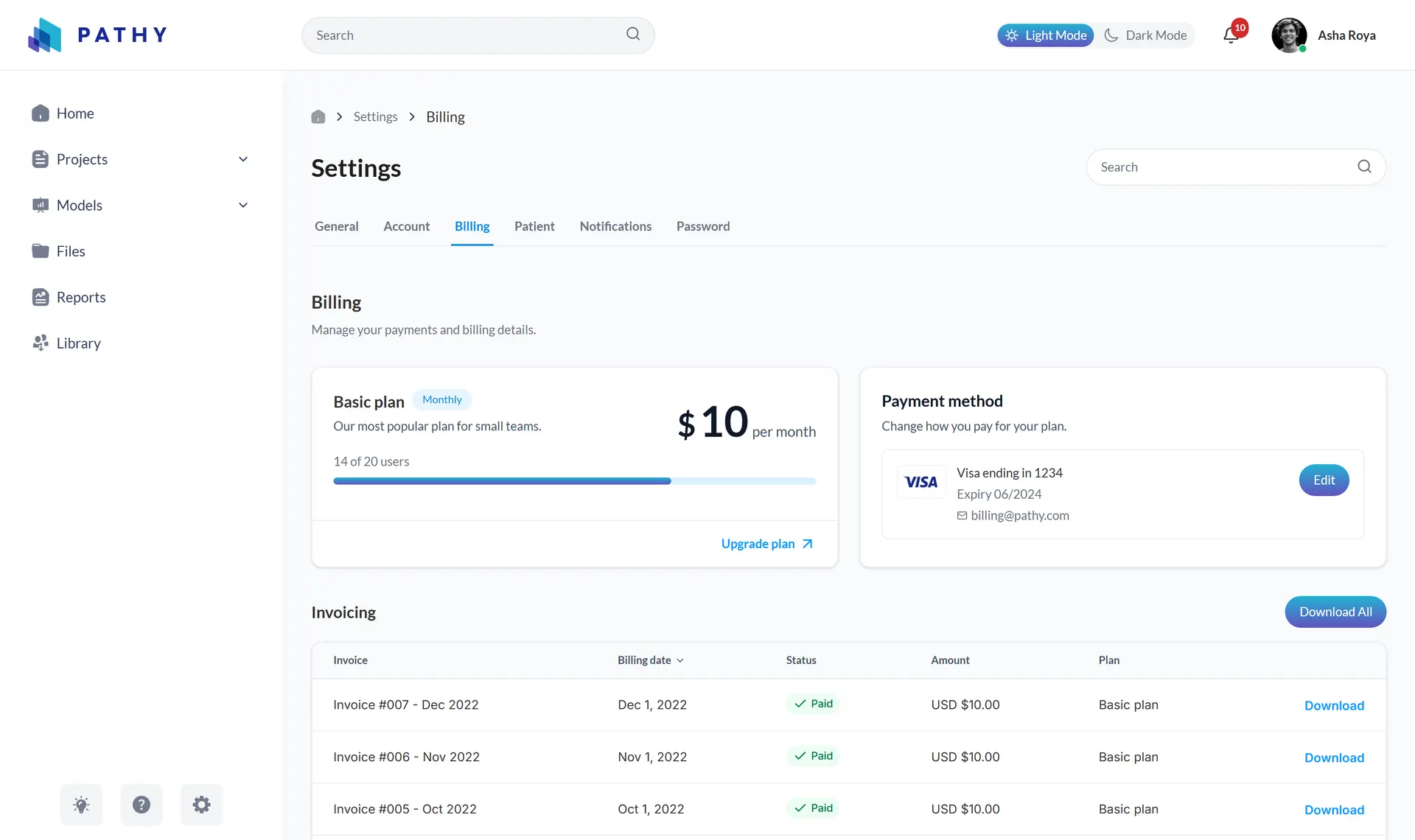
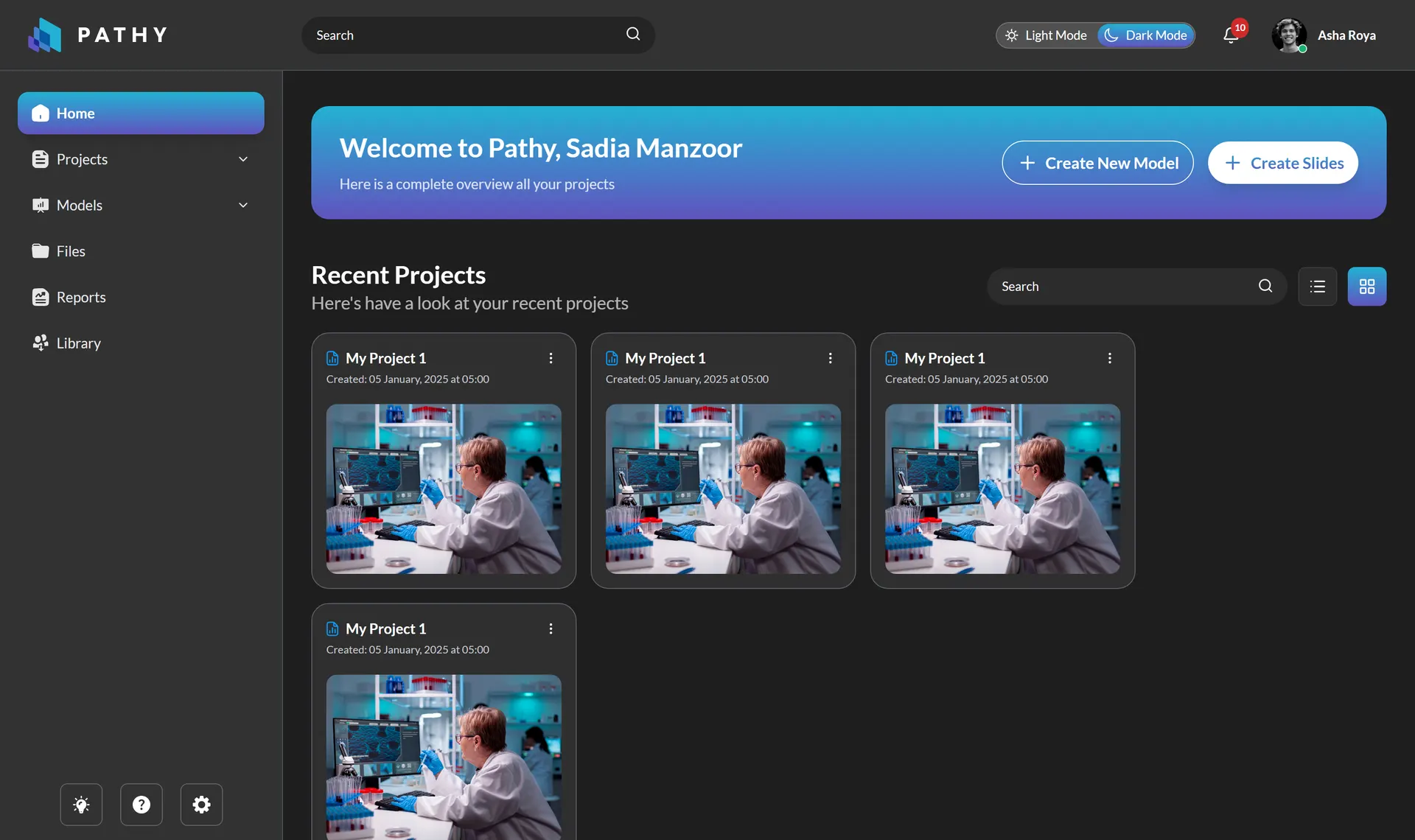
Around the core workflow sits the full product shell: file explorers for local disk, PACS, and cloud sources; project management with grid and list views and a two-step creation flow; report scaffolding with per-slide and per-model metric bars; and a settings suite spanning account, billing with invoice history, notifications, and a patient-privacy tab with auto-hide-identifiers and data-retention controls.
Whole-slide-image viewer
Magnification presets from 2x to 40x, wheel zoom and panning, a minimap that tracks the live viewport rectangle, a dynamically computed physical scale bar, and an annotation tool palette.
AI analysis workflow
Model suggestions by detected organ and stain, run-on-slide or run-on-region execution, and running-task progress with item counts, elapsed time, and throughput.
Class-level result controls
Per-model opacity and visibility, a confidence-threshold slider, and per-class overlay toggles, for example benign, in-situ carcinoma, and invasive carcinoma, each with its own color and percentage.
AI model marketplace
A browsable catalog filterable by organ, stain, task type, certification, source tier, and minimum community score, with per-model quality bars and a downloaded-models page.
Multi-window workspace
Draggable, eight-handle-resizable floating panels with managed z-order and guaranteed child-above-parent stacking, so viewer, analysis, and reports can be compared side by side.
Privacy-aware settings suite
Account, billing, and notification management plus patient-privacy controls, default patient fields, auto-hide identifiers, data-retention policy, and sharing permissions, designed in from the start.
- 01
A real window manager for the browser
A custom floating-modal directive with viewport-bound snap-back, a resizable directive with eight handles and min/max constraints, and a window-manager service assigning z-indexes, cascade offsets, and parent/child stacking guarantees.
- 02
Viewer mathematics done properly
The minimap viewport rectangle and the physical scale bar are computed from zoom level, pan offsets, and container dimensions, spatial orientation cues pathologists rely on, not decorative widgets.
- 03
Typed simulation as an integration contract
Every future backend interaction, model runs, task progress, overlays, reports, already exists as a TypeScript interface exercised by the UI, reducing integration to wiring rather than redesign.
- 04
Modern Angular architecture
Angular 20 standalone components with lazy route-level code splitting, signal-based reactive state, reactive forms with validation, and query-parameter-driven settings navigation.
- 05
Design-token theming
Tailwind CSS combined with a hand-built CSS custom-property token system, delivering a complete light/dark theme persisted to localStorage with a prefers-color-scheme fallback.
- The complete frontend of a digital pathology platform, with every workflow explorable and testable against typed mock data before a single API exists.
- Hard interaction problems solved for real: multi-window management, minimap and scale-bar viewer math, and analysis-result controls modeled to the class level.
- Backend and AI-inference integration can proceed screen by screen without UI rework, because the API contract is already explicit in the type system.